Find your active listings
Open your Facebook Marketplace Selling page and let Marketplace Assistant identify the active listings available to your signed-in account.
 Marketplace AssistantAdd to Chrome
Free listing tool for independent auto dealers
Marketplace Assistant copies supported details and photos from one of your own active vehicle listings into a fresh Marketplace draft. There is no subscription, account signup, or credit card. Your dealership reviews the result, updates anything that changed, and makes the final publishing decision.
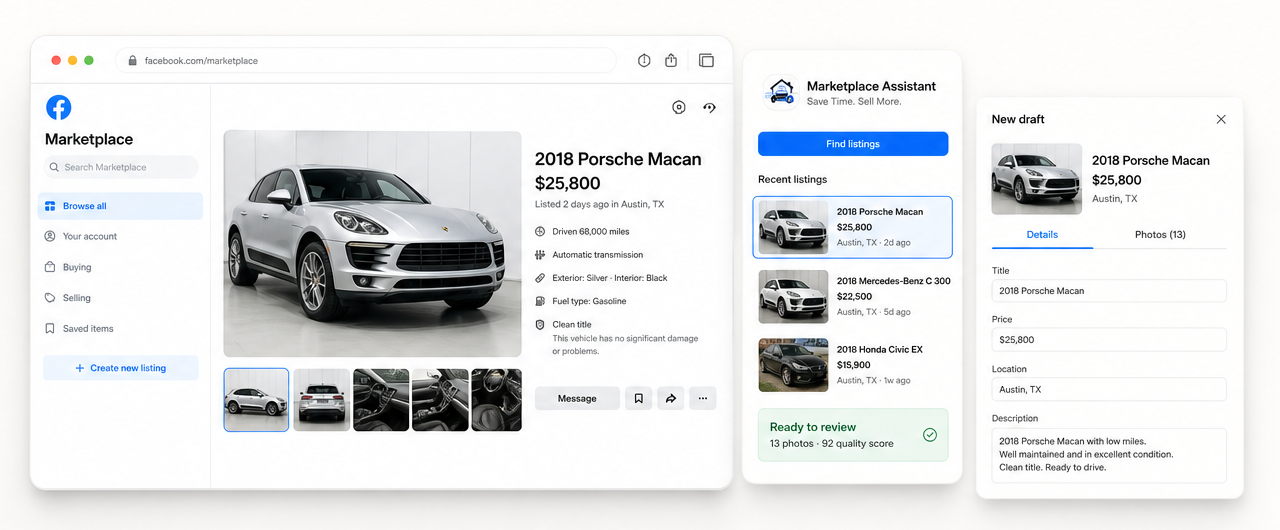
The dealer workflow
Independent dealers often manage inventory, photos, Marketplace listings, messages, and appointments with a small team. Re-entering information that already exists takes time away from buyer follow-up and vehicle preparation.
Open your Facebook Marketplace Selling page and let Marketplace Assistant identify the active listings available to your signed-in account.
Choose the listing you want to copy. The extension collects the supported information and available original photos from that listing.
Marketplace Assistant opens the vehicle creation form and fills the fields it can identify. It does not press the final Publish button.
Confirm availability, price, mileage, condition, description, category, and photos. Your dealership decides when the draft is accurate and ready.
Clear responsibilities
A copied draft should always be treated as a starting point. Vehicle information can change between the original listing and the day a new draft is prepared.
Review-first by design
Marketplace Assistant operates while Facebook is already open and signed in. The extension does not ask you to enter a Facebook password.
The extension prepares listing drafts. It does not send Marketplace messages, negotiate with buyers, or manage dealership conversations.
A fresh draft may give a vehicle another opportunity to be seen, but rankings, views, inquiries, and sales are never guaranteed.
The seller performs the final publication and any final deletion confirmation after reviewing the relevant listing.
Common dealer questions
Yes. Marketplace Assistant is currently free to install and use, with no subscription, account signup, or credit card required.
It copies supported listing information such as title, price, description, location, available vehicle details, and up to 20 original photos into a fresh draft.
Yes. Facebook must currently be set to English (US) so Marketplace Assistant can identify the supported Marketplace labels and fields reliably.
No. Videos are not copied. Detected video cover images are skipped so they are not treated as normal listing photos.
Yes. The draft remains editable. Review and update the price, mileage, description, category, optional fields, location, condition, and photos before publishing.
No. Marketplace Assistant is an independent product and is not affiliated with, endorsed by, or sponsored by Meta or Facebook.
Save Time. Sell More.
Copy the repetitive details, review the vehicle, and publish only when you are ready.
Add to Chrome — Free ↗